Settings for Arduino G-Code Interpreter? (solved)
Forum » Contraptor Forum / Contraptor talk » Settings for Arduino G-Code Interpreter? (solved)
Started by: gatonerogatonero
On: 1267465259|%e %b %Y, %H:%M %Z|agohover
Number of posts: 29
rss icon RSS: New posts
Summary:
From Arduino Firmware v1.3 to reprap_new-firmware, basic Gcode, limit switches and so on
Settings for Arduino G-Code Interpreter
gatonerogatonero 1267465259|%e %b %Y, %H:%M %Z|agohover

Hi Contraptionists,

I assembled my Mini CNC and I'm looking forward for making some controlles GCode movements. Until now it moves, but not as I expect.

First of all a descripion of my environment with some specifications.

Hardware

Unipolar stepper motor. This motor is a NEMA size 23. Specs are 60 in/oz Holding Torque, 200 steps/rev, 2.3V, 2.3A, DC, 80 C degree Rise

Software, Firmware

According to the explanations on Arduino G-Code Interpreter I'm using the following settings in the file _init.pde

// define the parameters of our machine.
#define X_STEPS_PER_INCH 4000 //  200 steps/rev + 20 threads per inch * steps in a revolution
#define X_STEPS_PER_MM   157.480315 // *_STEPS_PER_INCH / 25.4
#define X_MOTOR_STEPS    200 // to double because of half stepping? X_STEPS_PER_INCH also?
 
#define Y_STEPS_PER_INCH 4000
#define Y_STEPS_PER_MM   157,480315
#define Y_MOTOR_STEPS    200 
 
#define Z_STEPS_PER_INCH 4000
#define Z_STEPS_PER_MM   157,480315
#define Z_MOTOR_STEPS    200
 
//our maximum feedrates
#define FAST_XY_FEEDRATE 1200.0 // just a assumption
#define FAST_Z_FEEDRATE  1200.0 // just a assumption
 
// Units in curve section
#define CURVE_SECTION_INCHES 0.019685
#define CURVE_SECTION_MM 0.5
 
// Set to one if sensor outputs inverting (ie: 1 means open, 0 means closed)
// RepRap opto endstops are *not* inverting.
#define SENSORS_INVERTING 0
 
// How many temperature samples to take.  each sample takes about 100 usecs.
#define TEMPERATURE_SAMPLES 5
 
/****************************************************************************************
* digital i/o pin assignment
*
* this uses the undocumented feature of Arduino - pins 14-19 correspond to analog 0-5
****************************************************************************************/
 
//cartesian bot pins, settings for Contraptor wiring
#define X_STEP_PIN 3
#define X_DIR_PIN 4
#define X_ENABLE_PIN 5
#define X_MIN_PIN 6
#define X_MAX_PIN 7
 
#define Y_STEP_PIN 8
#define Y_DIR_PIN 9
#define Y_ENABLE_PIN 10
#define Y_MIN_PIN 11
#define Y_MAX_PIN 12
 
#define Z_STEP_PIN 14
#define Z_DIR_PIN 15
#define Z_ENABLE_PIN 16
#define Z_MIN_PIN 17
#define Z_MAX_PIN 18
 
// I kicked off the extruder stuff

If I use these GCode commands

G3 X0 Y0 I1 J0 F10
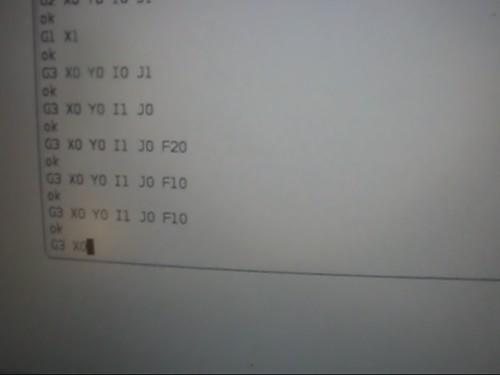
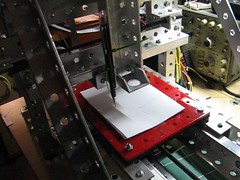
the Mini CNC just makes very little movements, but not movements you can see here for example flickr:4089099448. I also doubled the values for *_STEPS_PER_INCH, *_STEPS_PER_MM and *_MOTOR_STEPS without any success.

Where is my shortcoming?

Please help!

Christoph
Reply  |  Options
Unfold Settings for Arduino G-Code Interpreter by gatonerogatonero, 1267465259|%e %b %Y, %H:%M %Z|agohover
Re: Settings for Arduino G-Code Interpreter
AlbanetcAlbanetc 1267467101|%e %b %Y, %H:%M %Z|agohover

Christoph,

The boards are hardwired to be in halfstepping mode, so your effective steps per revolution should be 400, and steps per inch should be 8000, and values in millimeters should be recalculated accordingly. FAST_XY_FEEDRATE should be something like 20 IPM or its metric equivalent for metric mode. The FAST_ feedrate setting is for G0 command, G1 commands will run at whatever feedrate previously set via F code.

Vitaly

Reply  |  Options
Unfold Re: Settings for Arduino G-Code Interpreter by AlbanetcAlbanetc, 1267467101|%e %b %Y, %H:%M %Z|agohover
Re: Settings for Arduino G-Code Interpreter (solved)
gatonerogatonero 1267468002|%e %b %Y, %H:%M %Z|agohover

Hi Vitaly,

thanks a lot! That's the solution. I guess I didn't change all the values consequently. No I'm able to determine, which are the true X, Y and Z axis ;-)

I will include the -int.pde settings in Learn:Arduino GCode Interpreter

Christoph

Reply  |  Options
Unfold Re: Settings for Arduino G-Code Interpreter (solved) by gatonerogatonero, 1267468002|%e %b %Y, %H:%M %Z|agohover
Re: Settings for Arduino G-Code Interpreter?
gatonerogatonero 1267479556|%e %b %Y, %H:%M %Z|agohover

Now I'm using these settings:

// define the parameters of our machine. Doubled because of half stepping
 
#define X_STEPS_PER_INCH 8000
#define X_STEPS_PER_MM   314,96063
#define X_MOTOR_STEPS    400
 
#define Y_STEPS_PER_INCH 8000
#define Y_STEPS_PER_MM   314,96063
#define Y_MOTOR_STEPS    400
 
#define Z_STEPS_PER_INCH 8000
#define Z_STEPS_PER_MM   314,96063
#define Z_MOTOR_STEPS    400
 
//our maximum feedrates
#define FAST_XY_FEEDRATE 20
#define FAST_Z_FEEDRATE  20

I'm getting non reproducable results. The first test has been fine, as I posted above. But then I never could produce it again. After three hours of testing (controlling the wiring, checking with my Basic3AxisTest, which went fine, compiling and uploading the firmware) I don't have any clue, where I fail. Maybe there is a interference with the settings for the extruder pins, which I set like this:

//extruder pins
#define EXTRUDER_MOTOR_SPEED_PIN   1
#define EXTRUDER_MOTOR_DIR_PIN     2
#define EXTRUDER_HEATER_PIN        13
#define EXTRUDER_FAN_PIN           19
#define EXTRUDER_THERMISTOR_PIN    0  //a -1 disables thermistor readings
#define EXTRUDER_THERMOCOUPLE_PIN  -1 //a -1 disables thermocouple readings

I'm just getting very small movements.

Christoph

Last edited on 1267479580|%e %b %Y, %H:%M %Z|agohover By gatonero + Show more
Reply  |  Options
Unfold Re: Settings for Arduino G-Code Interpreter? by gatonerogatonero, 1267479556|%e %b %Y, %H:%M %Z|agohover
Re: Settings for Arduino G-Code Interpreter?
AlbanetcAlbanetc 1267480554|%e %b %Y, %H:%M %Z|agohover

Christoph,

Here is my _init.pde:

// define the parameters of our machine.
// belt drive
//#define X_STEPS_PER_INCH 200.0
//#define X_STEPS_PER_MM   7.874
 
// all thread leadscrew
#define X_STEPS_PER_INCH 8000.0
#define X_STEPS_PER_MM   314.961
 
// ACME leadscrew
//#define X_STEPS_PER_INCH 6400.0
//#define X_STEPS_PER_MM   251.968
 
#define Y_STEPS_PER_INCH 8000.0
#define Y_STEPS_PER_MM   314.961
 
#define Z_STEPS_PER_INCH 8000.0
#define Z_STEPS_PER_MM   314.961
 
//our maximum feedrates in units/minute
#define FAST_XY_FEEDRATE_INCH 20 //300
#define FAST_Z_FEEDRATE_INCH  15
#define FAST_XY_FEEDRATE_MM 360
#define FAST_Z_FEEDRATE_MM  360
 
// Maximum acceleration in units/minute/second
// E.g. for 300.0 machine would accelerate to 150units/minute in 0.5sec etc.
#define MAX_ACCEL_INCH 50.0 //500.0
#define MAX_ACCEL_MM 1200.0
 
// Maximum change in velocity per axis - if the change in velocity at the start
// of the next move is greater than this for at least one axis, we will decelerate
// to a stop before commencing the move, otherwise we will keep going
// value is units/minute
#define MAX_DELTA_V_INCH 5.0
#define MAX_DELTA_V_MM 100.0
 
// Set to one if endstop outputs are inverting (ie: 1 means open, 0 means closed)
// RepRap opto endstops are *not* inverting.
#define ENDSTOPS_INVERTING 1
 
// Optionally disable max endstops to save pins or wiring
#define ENDSTOPS_MIN_ENABLED 1
#define ENDSTOPS_MAX_ENABLED 1
 
// How many temperature samples to take.  each sample takes about 100 usecs.
#define TEMPERATURE_SAMPLES 5
 
// The *_ENABLE_PIN signals are active high as default. Define this
// to one if they should be active low instead (e.g. if you're using different
// stepper boards).
// RepRap stepper boards are *not* inverting.
#define INVERT_ENABLE_PINS 0
 
// If you use this firmware on a cartesian platform where the
// stepper direction pins are inverted, set these defines to 1
// for the axes which should be inverted.
// RepRap stepper boards are *not* inverting.
#define INVERT_DIR 1 // CHANGED CM - ONLY ONE FOR ALL AXES
 
#define STEPPERS_ALWAYS_ON 0
 
/****************************************************************************************
* digital i/o pin assignment
*
* this uses the undocumented feature of Arduino - pins 14-19 correspond to analog 0-5
****************************************************************************************/
 
//cartesian bot pins
#define X_STEP_PIN 2
#define X_DIR_PIN 3
#define X_ENABLE_PIN 4
#define X_MIN_PIN 5
#define X_MAX_PIN 6
 
#define Y_STEP_PIN 8
#define Y_DIR_PIN 9
#define Y_ENABLE_PIN 10
#define Y_MIN_PIN 11
#define Y_MAX_PIN 12
 
#define Z_STEP_PIN 14
#define Z_DIR_PIN 15
#define Z_ENABLE_PIN 16
#define Z_MIN_PIN 17
#define Z_MAX_PIN 18
 
//extruder pins
// NOTE - USING Timer1 FOR STEPPER TIMER SO CAN'T USER PINS 9 OR 10 FOR PWM
// OUTPUT (EXTRUDER_MOTOR_SPEED_PIN, EXTRUDER_HEATER_PIN, OR EXTRUDER_FAN_PIN)
#define EXTRUDER_MOTOR_SPEED_PIN   19
#define EXTRUDER_MOTOR_DIR_PIN     19
#define EXTRUDER_HEATER_PIN        19
#define EXTRUDER_FAN_PIN           19
#define EXTRUDER_THERMISTOR_PIN    -1  //a -1 disables thermistor readings
#define EXTRUDER_THERMOCOUPLE_PIN  -1 //a -1 disables thermocouple readings
Last edited on 1267501290|%e %b %Y, %H:%M %Z|agohover By Albanetc + Show more
Reply  |  Options
Unfold Re: Settings for Arduino G-Code Interpreter? by AlbanetcAlbanetc, 1267480554|%e %b %Y, %H:%M %Z|agohover
Re: Settings for Arduino G-Code Interpreter?
gatonerogatonero 1267481900|%e %b %Y, %H:%M %Z|agohover

Vitaly,

which firmware version are you using? If I try to compile v1.3 I get this error message

Fehler: »CURVE_SECTION_INCHES« wurde in diesem Gültigkeitsbereich nicht definiert In function »void process_string(char*, int)«:
In function »bool read_switch(byte)«:
In function »long int getMaxSpeed()«:

Means "not defined in this scope" in process_string.pde

Christoph

Unfold Re: Settings for Arduino G-Code Interpreter? by gatonerogatonero, 1267481900|%e %b %Y, %H:%M %Z|agohover
Re: Settings for Arduino G-Code Interpreter?
AlbanetcAlbanetc 1267485259|%e %b %Y, %H:%M %Z|agohover

I'm using what looks to be the newer version available here: http://forums.reprap.org/read.php?12,19155
It's attached to the first post by Chris.

Unfold Re: Settings for Arduino G-Code Interpreter? by AlbanetcAlbanetc, 1267485259|%e %b %Y, %H:%M %Z|agohover
Re: Settings for Arduino G-Code Interpreter?
gatonerogatonero 1267488495|%e %b %Y, %H:%M %Z|agohover

When compiling Chris' reprap_new-firmware I get the error

In function »void RR_setupSerial()«:
Fehler: »UBRRH« wurde in diesem Gültigkeitsbereich nicht definiert In function »void RR_serialWrite(unsigned char)«:
In function »void RR_analogWrite(uint8_t, int)«:
In function »void SIG_UART_RECV()«:

"UBRRH not in scope" (in optimal_routines.pde "UBRRH = ((F_CPU / 16 + baud / 2) / baud - 1) » 8;") as somebody in the thread also mentioned :-(

Last edited on 1267488701|%e %b %Y, %H:%M %Z|agohover By gatonero + Show more
Unfold Re: Settings for Arduino G-Code Interpreter? by gatonerogatonero, 1267488495|%e %b %Y, %H:%M %Z|agohover
Re: Settings for Arduino G-Code Interpreter?
AlbanetcAlbanetc 1267491103|%e %b %Y, %H:%M %Z|agohover

Ah, that's right - I modified this firmware a bit, mostly removing optimizations of Arduino native functions that he did to fit the code in 16K. I will zip up the version I have and attach it to this thread.

Unfold Re: Settings for Arduino G-Code Interpreter? by AlbanetcAlbanetc, 1267491103|%e %b %Y, %H:%M %Z|agohover
Re: Settings for Arduino G-Code Interpreter?
AlbanetcAlbanetc 1267500058|%e %b %Y, %H:%M %Z|agohover

I attached the code I'm currently using. As I mentioned, I commented out most of the optimizations of native functions. I also added a define to keep the steppers on when not moving, this can be useful if stages do not stay in position for some reason (weight, vibrations). I used it on the belt-driven Z axis here: http://www.contraptor.org/fast-drilling-contraption

Unfold Re: Settings for Arduino G-Code Interpreter? by AlbanetcAlbanetc, 1267500058|%e %b %Y, %H:%M %Z|agohover
Re: Settings for Arduino G-Code Interpreter?
gatonerogatonero 1267512839|%e %b %Y, %H:%M %Z|agohover

Sorry Vitaly,

I can't see any attached files in the forum, like before some weeks (forum settings, rights)

Christoph

Unfold Re: Settings for Arduino G-Code Interpreter? by gatonerogatonero, 1267512839|%e %b %Y, %H:%M %Z|agohover
Re: Settings for Arduino G-Code Interpreter?
AlbanetcAlbanetc 1267516131|%e %b %Y, %H:%M %Z|agohover

There should be Files option available at the bottom of the page

Unfold Re: Settings for Arduino G-Code Interpreter? by AlbanetcAlbanetc, 1267516131|%e %b %Y, %H:%M %Z|agohover
Re: Settings for Arduino G-Code Interpreter?
gatonerogatonero 1267519347|%e %b %Y, %H:%M %Z|agohover

Hi Vitaly,

I have had this situation several weeks ago with no solution. If I klick "Options" I just get "Permanent Link | Edit | Delete"

Christoph

PS.: As a mail message I saw that you uploaded a file.

Last edited on 1267519420|%e %b %Y, %H:%M %Z|agohover By gatonero + Show more
Unfold Re: Settings for Arduino G-Code Interpreter? by gatonerogatonero, 1267519347|%e %b %Y, %H:%M %Z|agohover
Re: Settings for Arduino G-Code Interpreter?
AlbanetcAlbanetc 1267549645|%e %b %Y, %H:%M %Z|agohover

I uploaded it to the SVN on Sourceforge where the old source files for Contraptor are: http://contraptor.svn.sourceforge.net/viewvc/contraptor/trunk/firmware/

Unfold Re: Settings for Arduino G-Code Interpreter? by AlbanetcAlbanetc, 1267549645|%e %b %Y, %H:%M %Z|agohover
Re: Settings for Arduino G-Code Interpreter?
gatonerogatonero 1267551108|%e %b %Y, %H:%M %Z|agohover

Hi Vitaly,

I got the link to the file reprap_new_firmware.tar.gz via mail message (watching site). I inserted your -init.pde you posted above but still get the error

In function »void RR_setupSerial()«:
Fehler: »UBRRH« wurde in diesem Gültigkeitsbereich nicht definiert In function »void RR_serialWrite(unsigned char)«:
In function »void RR_analogWrite(uint8_t, int)«:
In function »void SIG_UART_RECV()«:

Because I remember that you sometimes mentioned that you are using the IDE Arduino 0012, I tried it also with early versions of the IDE (on a 32bit system). 0012, ATmega328 is not supported, the versions above beginning with 0013 thrown all the same error as above.

I can't understand how the RepRap people are getting to run there stuff, I didn't find anything recording to all these errors. What a pitty, that there is now ongoing by Chris.

Christoph

Unfold Re: Settings for Arduino G-Code Interpreter? by gatonerogatonero, 1267551108|%e %b %Y, %H:%M %Z|agohover
Re: Settings for Arduino G-Code Interpreter?
gatonerogatonero 1267551699|%e %b %Y, %H:%M %Z|agohover

I could compile the sourceforge version with Arduino 0018!!! :-D

Unfold Re: Settings for Arduino G-Code Interpreter? by gatonerogatonero, 1267551699|%e %b %Y, %H:%M %Z|agohover
Re: Settings for Arduino G-Code Interpreter?
AlbanetcAlbanetc 1267552195|%e %b %Y, %H:%M %Z|agohover

Yeah, it's not just _init.pde but other files that are affected as well.

Unfold Re: Settings for Arduino G-Code Interpreter? by AlbanetcAlbanetc, 1267552195|%e %b %Y, %H:%M %Z|agohover
Re: Settings for Arduino G-Code Interpreter?
gatonerogatonero 1267553593|%e %b %Y, %H:%M %Z|agohover

A good news and a bad news:

  1. I can compile and upload the sourceforge version
  2. The Mini CNC doesn't show any reactio. The Arduino is receiving and transmitting (RX, TX LED are flashing, some cryptic messages in the serial terminal) but no reaction from the LEDs of the stepper motor drivers

Hmpf

Unfold Re: Settings for Arduino G-Code Interpreter? by gatonerogatonero, 1267553593|%e %b %Y, %H:%M %Z|agohover
Re: Settings for Arduino G-Code Interpreter?
AlbanetcAlbanetc 1267555877|%e %b %Y, %H:%M %Z|agohover

Oh, I hardcoded the 38400 baud rate in reprap_new_firmware.pde, so whatever terminal you're using should be set to that (or change the baud rate in the code)

Unfold Re: Settings for Arduino G-Code Interpreter? by AlbanetcAlbanetc, 1267555877|%e %b %Y, %H:%M %Z|agohover
Re: Settings for Arduino G-Code Interpreter?
gatonerogatonero 1267573015|%e %b %Y, %H:%M %Z|agohover

Thanks! Now I have reproducible movements. They are not as I expected, very small for example with "G3 X0 Y0 I1 J0 F10" but good for a starting point :-)

Have a look here

flickr:4402683232
Unfold Re: Settings for Arduino G-Code Interpreter? by gatonerogatonero, 1267573015|%e %b %Y, %H:%M %Z|agohover
Re: Settings for Arduino G-Code Interpreter?
AlbanetcAlbanetc 1267573357|%e %b %Y, %H:%M %Z|agohover

Are you running inches or metric? G20 switches to inches, G21 to millimeters. The default mode is millimeters.

Unfold Re: Settings for Arduino G-Code Interpreter? by AlbanetcAlbanetc, 1267573357|%e %b %Y, %H:%M %Z|agohover
Re: Settings for Arduino G-Code Interpreter?
gatonerogatonero 1267573555|%e %b %Y, %H:%M %Z|agohover

no real difference with "G20 G3 X0 Y0 I1 J0 F10" or "G21 G3 X0 Y0 I1 J0 F10"

Unfold Re: Settings for Arduino G-Code Interpreter? by gatonerogatonero, 1267573555|%e %b %Y, %H:%M %Z|agohover
Re: Settings for Arduino G-Code Interpreter?
AlbanetcAlbanetc 1267573761|%e %b %Y, %H:%M %Z|agohover

right, because it's a separate command :)
G20 - inches
G91 - relative mode
G3 X0 Y0 I1 J0 F10 - circle at 10 in/min

Unfold Re: Settings for Arduino G-Code Interpreter? by AlbanetcAlbanetc, 1267573761|%e %b %Y, %H:%M %Z|agohover
Re: Settings for Arduino G-Code Interpreter?
gatonerogatonero 1267574147|%e %b %Y, %H:%M %Z|agohover

Yeah, that's it!!! Uhh, I have to learn GCode syntax!

Unfold Re: Settings for Arduino G-Code Interpreter? by gatonerogatonero, 1267574147|%e %b %Y, %H:%M %Z|agohover
Re: Settings for Arduino G-Code Interpreter?
gatonerogatonero 1267574220|%e %b %Y, %H:%M %Z|agohover

I will document all this step by step for dummies like me.

Unfold Re: Settings for Arduino G-Code Interpreter? by gatonerogatonero, 1267574220|%e %b %Y, %H:%M %Z|agohover
Re: Settings for Arduino G-Code Interpreter?
AlbanetcAlbanetc 1267574393|%e %b %Y, %H:%M %Z|agohover

Sorry I should have written this up as I think I struggled with it as well in the beginning. But it was a while ago, and things start seeming obvious even though they're not.

Unfold Re: Settings for Arduino G-Code Interpreter? by AlbanetcAlbanetc, 1267574393|%e %b %Y, %H:%M %Z|agohover
Re: Settings for Arduino G-Code Interpreter?
gatonerogatonero 1267576149|%e %b %Y, %H:%M %Z|agohover

With

G20
G91
G3 X0 Y0 I1 J0 F10

not a perfect circle as I expected, more like two separates curves, but much better than I expected today!

Have a look:

flickr:4402018987

and I need limit switches! as can be seen here

flickr:4292661386

Good night for today and thanks a lot!
Christoph

Unfold Re: Settings for Arduino G-Code Interpreter? by gatonerogatonero, 1267576149|%e %b %Y, %H:%M %Z|agohover
Re: Settings for Arduino G-Code Interpreter?
AlbanetcAlbanetc 1267578018|%e %b %Y, %H:%M %Z|agohover

I think what's happening is: because the limit switches are not connected, the noise inducted in the logic wires is triggering the limit switch inputs on Arduino. To prevent this, connect the limit switch plugs to the board - they include pull up resistors (well they have to be soldered). This defaults the limit switch input to 5V.

Last edited on 1267597824|%e %b %Y, %H:%M %Z|agohover By Albanetc + Show more
Unfold Re: Settings for Arduino G-Code Interpreter? by AlbanetcAlbanetc, 1267578018|%e %b %Y, %H:%M %Z|agohover
Re: Settings for Arduino G-Code Interpreter? (now realy solved)
gatonerogatonero 1267648559|%e %b %Y, %H:%M %Z|agohover

Hi Vitaly,

with limit switches (= pull up resistors on Min and Max) I don't have floating inputs anymore and I'm starting drawing awesome circles :-D I will post some video.

Thanks for your help and patience :-) Shortly I will amend some passages in the according chapters. Also I will mark this thread as solved.

Christoph

Reply  |  Options
New Post
Unless otherwise stated, the content of this page is licensed under Creative Commons Attribution-ShareAlike 3.0 License